

Master Video Post-Production Trends: Elevate Your Online Videos Like a Pro

In the fast-evolving world of video creation, mastering online video post production is essential for anyone aiming to produce captivating, professional-quality content. Post-production is where raw footage transforms into a polished story that resonates with audiences. It’s not just about cutting clips together; it’s about crafting an experience through editing, sound design, color grading, and visual effects. This guide dives deep into the latest video post-production trends and practical tips to help creators and filmmakers elevate their work.
Understanding the Essentials of Video Post-Production Trends
Video post-production has grown far beyond simple editing. Today, it involves a blend of technology, creativity, and storytelling finesse. Staying updated with current trends can give creators a competitive edge and ensure their videos stand out.
What Are the Key Trends Shaping Video Post-Production?
AI-Powered Editing Tools: Artificial intelligence is speeding up workflows by automating tasks like scene detection, color correction, and even generating rough cuts.
Remote Collaboration: Cloud-based platforms allow teams to work together seamlessly from different locations, making post-production more flexible and efficient.
Enhanced Color Grading: Cinematic color palettes and LUTs (Look-Up Tables) are used to create mood and style, giving videos a professional and consistent look.
Immersive Sound Design: Spatial audio and advanced sound mixing techniques are becoming standard to create a more engaging viewer experience.
Motion Graphics and VFX Integration: Adding dynamic graphics and subtle visual effects can elevate storytelling without overwhelming the content.
These trends are not just buzzwords; they represent practical tools and techniques that can transform a project from good to exceptional.
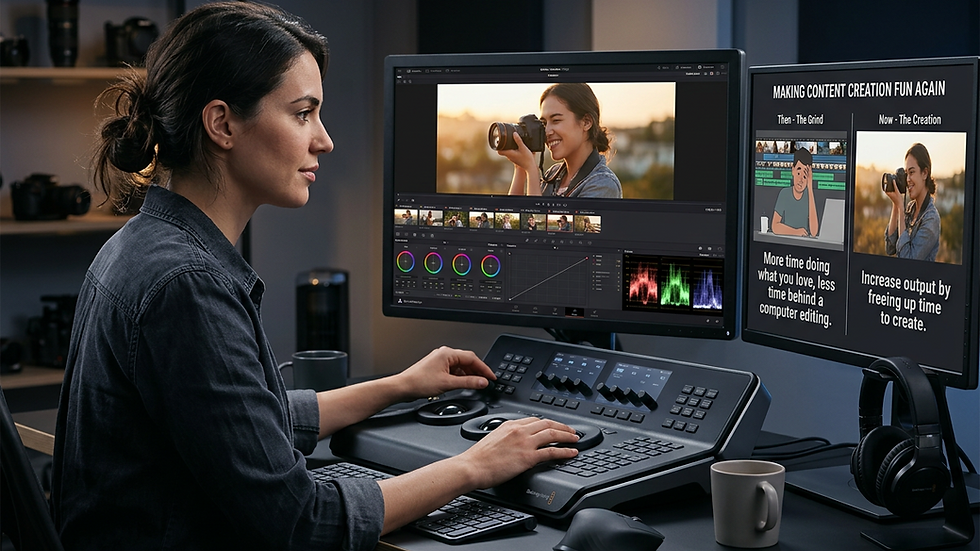
Streamlining Your Workflow for Maximum Efficiency
Efficiency in post-production is crucial. The faster and smoother the process, the more time creators have to focus on creativity and storytelling. Here are some actionable recommendations to optimize your workflow:
Organize Your Footage Before Editing
Start by labeling and categorizing your clips. Use metadata tags and folders to keep everything accessible. This simple step saves hours during editing.
Use Proxy Files for Faster Editing
High-resolution footage can slow down your editing software. Creating proxy files - lower-resolution versions of your clips - allows for smoother playback and quicker edits.
Leverage Keyboard Shortcuts and Presets
Most editing software offers customizable shortcuts and presets for effects, transitions, and color grading. Learning and using these can speed up repetitive tasks.
Collaborate with Cloud-Based Tools
Platforms like Frame.io or Adobe Creative Cloud enable real-time feedback and version control. This reduces back-and-forth emails and keeps everyone on the same page.
Backup Regularly
Never underestimate the importance of backups. Use external drives or cloud storage to protect your work from unexpected data loss.
By implementing these strategies, creators can reduce stress and focus on crafting compelling narratives.
Crafting a Cinematic Look with Color Grading
Color grading is one of the most powerful tools in post-production. It sets the tone, enhances emotions, and unifies the visual style of a video.
How to Approach Color Grading Like a Pro
Start with a Neutral Base: Correct exposure and white balance before applying creative grades.
Choose a Color Palette: Decide on a mood - warm, cool, desaturated, or vibrant - that fits the story.
Use LUTs Wisely: LUTs can speed up grading but should be adjusted to fit your footage, not applied blindly.
Pay Attention to Skin Tones: Natural skin tones keep viewers connected to the characters.
Create Contrast and Depth: Use shadows and highlights to add dimension and focus.
Experimentation is key. Don’t be afraid to try different looks until you find one that enhances your narrative.

Enhancing Storytelling Through Sound Design
Sound is often overlooked but is just as important as visuals. Good sound design immerses viewers and supports the story emotionally.
Tips for Effective Sound Design
Clean Up Audio Tracks: Remove background noise and balance levels for clarity.
Use Foley and Ambience: Add natural sounds like footsteps, rustling leaves, or city noise to create realism.
Incorporate Music Thoughtfully: Choose tracks that complement the mood without overpowering dialogue.
Mix for Different Platforms: Consider how your video will be viewed - headphones, TV, or mobile - and adjust sound accordingly.
Experiment with Spatial Audio: For immersive experiences, spatial audio places sounds in a 3D space around the listener.
Sound design is a subtle art that, when done well, elevates the entire production.
Leveraging Visual Effects and Motion Graphics
Visual effects (VFX) and motion graphics add polish and professionalism. They can clarify complex ideas, highlight key points, or simply add flair.
Practical Ways to Use VFX and Motion Graphics
Lower Thirds and Titles: Clean, animated text helps introduce speakers or topics.
Transitions: Creative transitions keep viewers engaged and smooth scene changes.
Infographics and Data Visualization: Motion graphics can make statistics and facts more digestible.
Subtle Effects: Light leaks, lens flares, or particle effects add cinematic touches without distraction.
Green Screen Compositing: Replace backgrounds or add elements that were impossible to shoot on location.
Keep effects purposeful and aligned with the story. Overuse can detract from the message.
Staying Ahead with Continuous Learning and Adaptation
The world of video post-production is always changing. New software updates, hardware advancements, and creative trends emerge regularly. Staying curious and adaptable is key to mastering this craft.
Follow Industry Blogs and Tutorials: Resources like the online video post production blog offer valuable insights and tips.
Experiment with New Tools: Try out new plugins, editing software, or sound libraries.
Join Communities: Engage with other creators to share knowledge and get feedback.
Attend Workshops and Webinars: Learning from experts can accelerate skill development.
Review Your Work Critically: Always look for ways to improve and refine your techniques.
By embracing lifelong learning, creators can keep their work fresh and competitive.
Elevate Your Stories with Expert Post-Production
Mastering video post-production trends is more than a technical skill - it’s an art form that shapes how stories are told and experienced. With the right tools, techniques, and mindset, creators can transform raw footage into cinematic masterpieces that captivate audiences worldwide.
Whether it’s through precise color grading, immersive sound design, or seamless visual effects, every detail counts. The journey to excellence in post-production is ongoing, but the rewards are immense. Ready to take your videos to the next level? The world is waiting to see your story come alive.
This guide aims to empower creators to harness the full potential of video post-production, helping them craft unforgettable content with confidence and creativity.


Comments